
The Dashcam that Saved me $8000
By Bridget | Published: June 2026
This post contains affiliate links. As an Amazon Associate, I earn from qualifying purchases. If you click a link and make a purchase, I may receive a small commission at no extra cost to you.
Every now and then, you buy a piece of technology hoping you’ll never actually have to use its core feature. That was my exact thought when I put a dashcam in my vehicle. Little did I know that single decision was about to protect my wallet, my sanity, and my hard-earned vacation.
1. The Product: Thinkware Dash Cam Q200
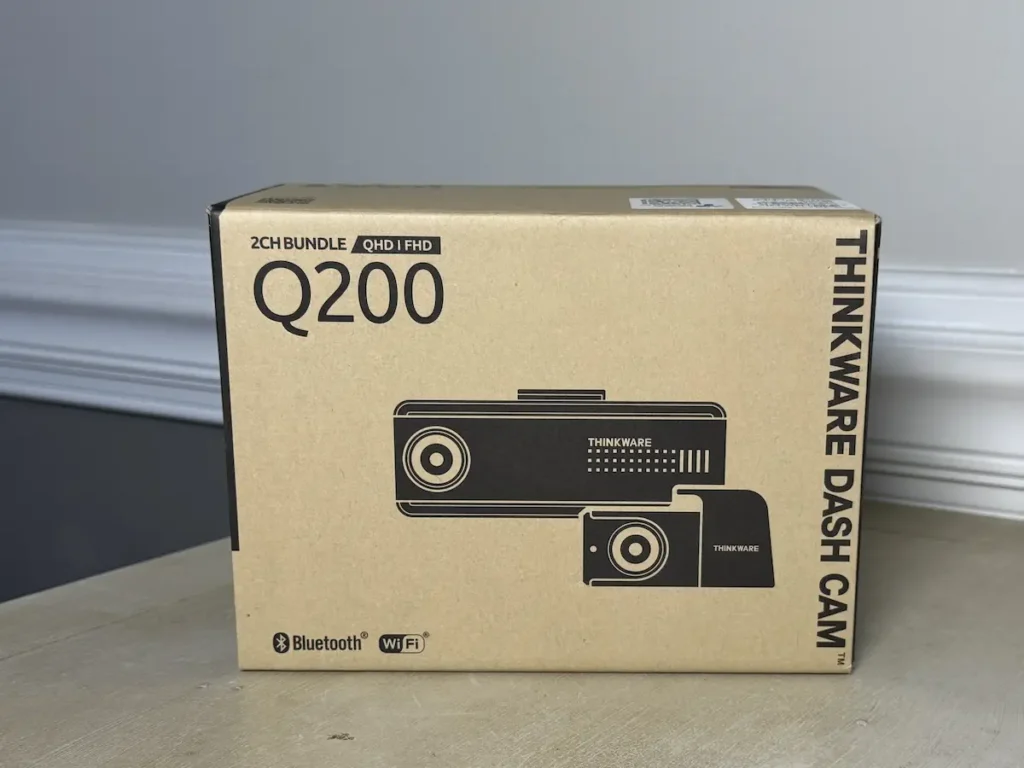
The Thinkware Dash Cam Q200 is a dual-channel front and rear camera system designed to capture everything happening around your vehicle in high-definition. It’s built to be a silent protector—discreetly mounting behind your rearview mirror to log footage while you drive and even while your car is parked.
2. The Backstory: A $8000 Brisket Lunch
A simple stop at Buc-ee’s turned into a nightmare when a driver in front of me suddenly put their car in reverse and backed right into me. They initially admitted fault but later closed their insurance claim as soon as they left the parking lot—leaving me with $8,000 in damage, a “he-said, she-said” mess, and a cruise vacation starting the next morning. Fortunately, my dashcam caught everything. I uploaded the footage to the insurance company right from the parking lot, secured the claim, and saved my vacation. I originally bought this camera under the advice of my insurance agent, who told me, “Dashcams solve so many problems.” He was absolutely right.
3. Just the Facts
When you are looking at tech, the specs matter. Here is what the Thinkware Q200 brings to the table:
- Dual-Channel 2K QHD Front & 1080p FHD Rear Recording: It records crisp 2K resolution up front and Full HD in the back. The wide-angle lenses (125° front, 160° rear) catch the whole road with very little edge distortion.
- Super Night Vision 2.0 & Wide Dynamic Range (WDR): This tech automatically balances contrast, tones down blinding headlights, and brightens dark roads so you can actually read license plates at night.
- Smart Parking Surveillance: If you hardwire the camera (or use an OBD-II cable), it watches your car while it’s parked. It includes motion detection, a low-frame-rate time-lapse mode to save space, and an energy-saving mode that wakes up instantly if it feels an impact.
- Advanced Driver Assistance System (ADAS): When using the included external GPS antenna, the camera gives you audible alerts for lane departures, forward collision warnings, and even alerts you to upcoming red-light cameras.
- Built-in Wi-Fi & Bluetooth: It pairs easily with your phone via the Thinkware Dash Cam Link App, letting you view live feeds, change settings, and download videos directly to your device.
4. Key Considerations: My Personal Takeaways
Placement Matters
My installer placed the front camera perfectly to the right of my rearview mirror. However, when my daughter took her car (the exact same vehicle model) to a different location, they mounted it right beneath the mirror. Still works – but mine is better. This can also be easily “self-installed” but I do not possess those skills!
Pro Tip: Did you know some Best Buy locations have dedicated car-installation centers? It is incredibly handy!
Download ASAP
The camera’s memory card is designed to automatically lock and save footage when it detects an impact. However, for total peace of mind, do not leave the scene until you download the video to your phone if you can safely do so. The app makes this incredibly easy to do right on the spot if you are able to do so. Don’t forget to download both the Front AND Rear camera footage for all possible angles.
Sensitivity Settings
The Driver Assistance System (the beeping alerts) is a great safety feature, but out of the box, the initial settings were incredibly sensitive. If you drive on roads that aren’t perfectly maintained, it will chirp at you constantly. Don’t worry—you can easily dial down the sensitivity in the app.
Audio Recording
By default, the camera records interior cabin audio along with the video. I didn’t actually realize this until I downloaded my accident footage, but it turned out to be a massive blessing. The audio proved I wasn’t on the phone, captured my audible gasp when their reverse lights came on, and proved I held down the horn. If you prefer total privacy, you can easily toggle the microphone off in the settings, but in my case, it saved the day.
5. The Verdict
Having this camera was an absolute lifesaver. It simplified a situation that could have dragged on for months. While I originally bought these cameras because I had two young adult drivers on my insurance policy, it turned out to protect me first.
6. Other Great Options
Whether you choose this specific THINKWARE model or another one, having a dashcam in this day and age is non-negotiable. Here are a few that you should also consider (Note: I do not have experience with these other than these would be in my top considerations if I were shopping for a new camera setup).
If I were buying a new camera today, I would definitely go for a 4K front facing although my current 2K did the job just fine!